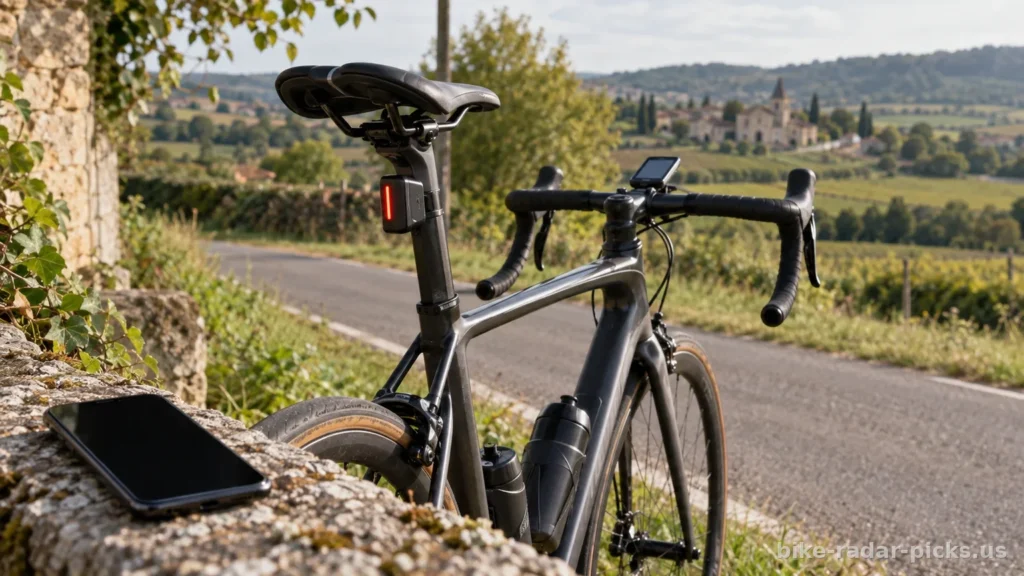
To choose a bike radar based on its connectivity, check that your GPS bike computer, phone or watch can receive alerts from the model you are considering, then check which features are available with that specific pairing. ANT+ and Bluetooth labels alone do not guarantee that approaching vehicles will be displayed or that you can adjust the light or control a camera.
Contents
- Why ANT+ and Bluetooth alone are not enough to make your choice
- With ANT+, look for explicit radar support
- Bluetooth can serve several purposes
- Which device will you use to receive alerts?
- You ride with a GPS bike computer
- You use your phone on the handlebars
- You prefer a smartwatch
- Compare alerts, light and camera features separately
- Receiving information about detected vehicles remains the priority
- Light control needs separate confirmation
- Video adds connection requirements
- How to compare the models featured in buying guides
- Check compatibility before ordering
- Which user feedback is useful for assessing connectivity?
- Frequently asked questions about bike radar connectivity
- Should you choose ANT+ or Bluetooth for a bike radar?
- Does a Garmin radar work with a bike computer from another brand?
- Can you use a bike radar without a GPS bike computer?
- Does a bike radar require Internet access or a subscription?
- Can you connect the radar to a bike computer and a phone at the same time?
- Why is my radar connected but not displaying vehicles?
Start with your current equipment to avoid a purchase that would also require replacing your bike computer. This guide analyses the compatibility criteria that matter when buying, based on documented features. User feedback can supplement this check when it involves the same devices and comparable software versions.
Why ANT+ and Bluetooth alone are not enough to make your choice
A rear-facing radar detects approaching vehicles and sends information about them to a receiving device. That device must be able to interpret the information to display their presence and provide the available warnings. Wireless connectivity and radar support are therefore separate criteria.
With ANT+, look for explicit radar support
An ANT+-compatible bike computer may receive data from a heart rate chest strap or a cadence sensor without supporting radars. Each sensor category uses a suitable communication profile. Support for the protocol does not prove that your device recognises the radar profile.
Look for explicit support for bike radars in the bike computer’s manual or its list of compatible sensors. The pairing menu may also include a dedicated category. Check whether any updates are needed before concluding that the devices are incompatible.
Bluetooth can serve several purposes
Depending on the model, Bluetooth is used to send alerts to an app, customise the lighting or update the firmware. An app that lets you adjust the light does not automatically provide a radar display you can use while riding.
Read its description and help documentation to check whether it receives alerts for detected vehicles. Also check the supported mobile operating systems and any restrictions. An app’s compatibility with Android does not mean it works on iPhone, or vice versa.

Which device will you use to receive alerts?
The best choice depends mainly on the screen you look at while riding. The following table summarises the key checks for each use case.
| Your equipment | Compatibility to confirm | Key factor during use |
|---|---|---|
| GPS bike computer | Support for the radar you are considering | Alerts visible during navigation |
| Phone | App that receives alerts from the model | Sounds and background operation |
| Watch | Radar support on the exact model | Noticeable alerts while cycling |
| Bike computer and phone | Simultaneous connections supported | Alerts maintained on the devices you want to use |
You ride with a GPS bike computer
Note its exact model and software version. Capabilities vary between models from the same brand. Stated compatibility with Garmin, Wahoo, Hammerhead or Bryton does not mean that all their bike computers support all radars.
Next, check how alerts are integrated. A sidebar, symbols and sounds can make them easier to notice, but their presentation depends on the receiving device. Refer to the illustrations in the manual to see what appears on your usual screens.
- Do alerts remain visible on the navigation map?
- Are audible warnings available and adjustable?
- Is a lost connection clearly indicated?
- Does reconnecting require any action after sleep mode?
You use your phone on the handlebars
First, choose an app compatible with the radar and your phone. Then check whether it can alert you while your navigation app is on screen. A dedicated app does not guarantee that alerts will appear in your preferred mapping app.
Background operation deserves particular attention. Check the instructions for Bluetooth permissions, notifications and power saving. Also check how alerts behave when the screen locks or a call comes in.
Using your phone also drains its battery, especially with navigation running and the screen on. For long rides, assess the battery life of the whole setup. A charged radar battery is not enough if your display device shuts down.
You prefer a smartwatch
Check the exact model, the relevant sport activity and the available alert features. A watch with ANT+ or Bluetooth does not necessarily support radars. If it does, assess readability and the alerts available without assuming they match those on a bike computer.
Compare alerts, the light and the camera separately
Radar compatibility does not guarantee access to every feature. When comparing options, distinguish between detection, lighting and video features. This helps you avoid paying for a feature you cannot use with your equipment.
Receiving information about detected vehicles remains the priority
Check that your receiver displays the information transmitted by the radar. Vehicle graphics and alerts may differ depending on the pairing. Do not assume that a feature advertised for the radar will necessarily appear on every compatible screen.
The advertised detection range should not be confused with the wireless connection range. It describes detection behind the bike, not the possible distance between the radar and your bike computer.
Light control needs to be confirmed separately
Receiving alerts does not mean you can change lighting modes from the handlebars. Lighting adjustments, automatic activation and battery level display depend on the features supported by the setup.
Look for these capabilities separately in the manuals. Some operations may require the manufacturer’s app even though alerts work directly on the bike computer. Decide whether this arrangement suits you before buying.
Video brings additional connection requirements
With a camera-equipped radar, check how to view, download and delete recordings. These operations may use an app and a connection separate from the one used for alerts.
The Garmin Varia RCT715 illustrates this category combining radar, light and camera. Its inclusion in a selection does not confirm that it meets your specific needs. Check which controls are available on your bike computer and the requirements for downloading videos to your phone.

How to compare models featured in buying guides
Search results mention Garmin Varia, Magene L508 and Trek CarBack, among others. These models are starting points for comparison, not proof of compatibility with your equipment. Disregard broad claims such as “works with all bike computers” unless an official list specifies which ones.
The Garmin Varia RTL515 and RCT715 illustrate the distinction between a solution with a light and one that adds a camera. With other manufacturers too, start with the features you need. A longer list of options does not make up for an unsuitable app or poorly integrated alerts on your bike computer.
- Note the exact radar model, rather than just the range name.
- Consult the documentation for both the radar and the receiver.
- Distinguish advertised features from those confirmed for your pairing.
- Check whether an app is still needed after the initial setup.
For an electric bike, also check the power supply and mounting. An electrical connection to the bike does not prove that its screen can display alerts. Compatibility with the bike’s system and compatibility with the radar receiver serve different needs.
Check compatibility before ordering
Prepare a short checklist of your models and essential features. This lets you compare models without confusing a technical possibility with a feature that is actually available.
- Note your display device’s model number and software version.
- Confirm that it supports radar in its official documentation.
- Check which receivers and apps the radar you are considering supports.
- Check alerts, the light, video and simultaneous connections separately.
- Identify any updates and settings needed for pairing.
If the documentation remains unclear, ask the manufacturer for written confirmation covering the specific models. Describe your needs precisely, such as receiving alerts while following directions on your bike computer. This question is more useful than a general enquiry about Bluetooth compatibility.

Which user reviews are useful for assessing connectivity
Prioritise reviews that specify the radar, receiver and circumstances of the problem. Look for repeated disconnections, difficulties after a break or alerts stopping when the phone locks. A single comment does not justify drawing conclusions about an entire range.
Updates can change how devices work. Compare feedback covering similar software versions whenever that information is available. Without a documented set of reviews, it would be misleading to present a model as the most reliable.
Before setting off, pair the devices while stationary and familiarise yourself with the indicators for an active connection and a lost connection. The absence of an alert does not mean the road is clear. Radar provides additional information and does not replace a visual check before a manoeuvre.
Frequently asked questions about bike radar connectivity
Should you choose ANT+ or Bluetooth for a bike radar?
Choose based on your receiver. For a bike computer, check that it supports radar and the protocol used. For a phone, confirm app compatibility. No logo alone guarantees full functionality.
Does a Garmin radar work with a bike computer from another brand?
Some combinations work. However, check the exact models in the official documentation. Receiving alerts may be supported even if light settings or camera controls are not.
Can you use a bike radar without a GPS bike computer?
Yes, if the model can send alerts to an app on your phone or another compatible receiver. Check which warnings are available and how they work during navigation. An app that only handles setup is not enough.
Does a bike radar need Internet access or a subscription?
Local alert transmission generally requires neither Internet access nor a subscription. However, an Internet connection may be needed to download the app or updates. Check the terms of any additional services offered.
Can you connect the radar to a bike computer and a phone simultaneously?
Some setups allow this. Check the radar’s connection limits and whether it supports the simultaneous operation you need. Having both ANT+ and Bluetooth does not guarantee support for every combination of devices and apps.
Why is my radar connected but not displaying vehicles?
Check that it is paired as a radar and that your device supports its alerts. A connection used to adjust the light is not enough. Then check the display settings, connection status and manufacturer’s recommendations.
Was this article helpful?
0% of readers found it useful (0 reviews)